Gamer's Guide: How To Check Steam Trade Hold in 2022?
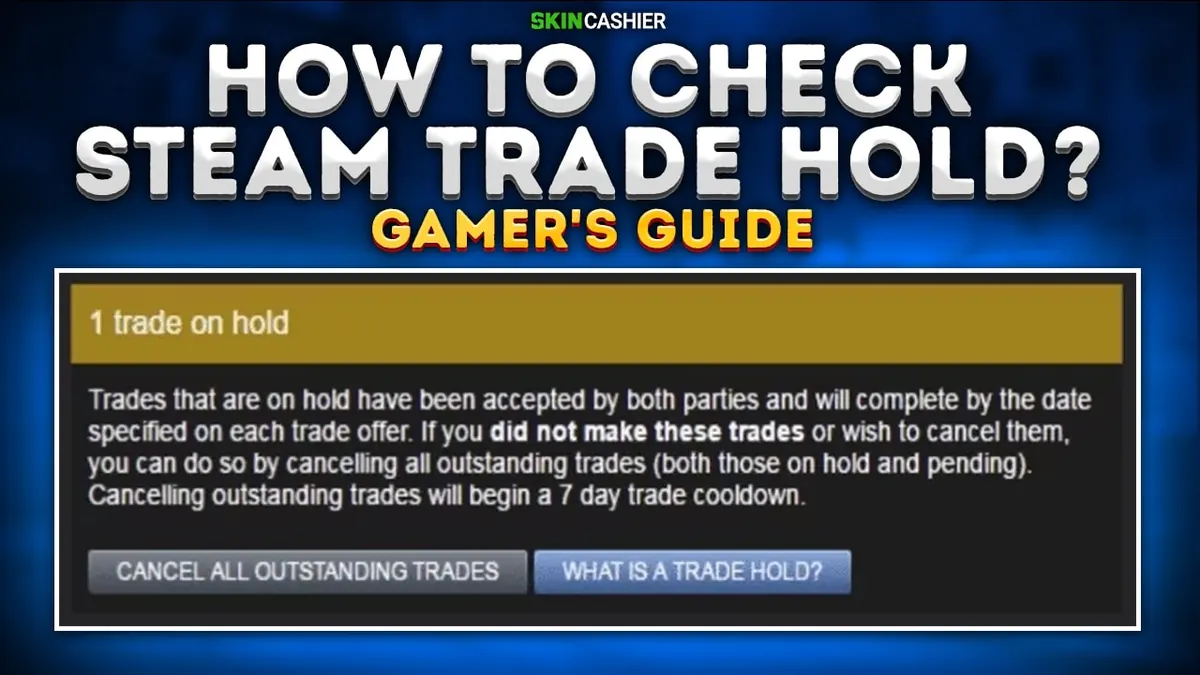
Key takeaways
- Steam holds items leaving your account for up to 15 days if the Steam Mobile Authenticator hasn't protected it for at least the previous seven days.
- The hold gives you time to spot trades you didn't make, change your password and cancel them if your account is hijacked.
- To check for a hold, open the Community Market while logged in; any trade restrictions appear in a notice at the top of the page.
- Once the Steam Guard Mobile Authenticator has been active for seven days, items are no longer held.
- There is no legitimate way to skip the waiting period, and Steam Support can't lift the restriction.
Table of contents
Gamers have been trading items over the Steam platform since 2012. While some CS:GO skins have a distinctive design, others might have an immediate impact on in-game elements. For instance, if you are making trades for CS: GO skins, you may receive skins that track kills and other stats for each weapon. It will be visible to all your gaming friends on the same server. But if you plan to exchange your unwanted skins CS: GO for better finishes, and your**Steam trade hold**account won't let you, this ultimate gamer's guide is for you.
What is Steam Trade Hold?
Steam Trade Hold isa certain amount of time when your new CS GO skins are locked after both parties have agreed on a trade before being distributed. The length of a Steam trade hold is **15 days.**The wait is reduced to one day if you're trading with a buddy you've known for more than one year.
What Is the Steam API Scam and How to Protect Your CS:GO Skins?
How Do I Know if I Have a Trade Hold on Steam?
The simplest way to determine whether your Steam account can trade is to:
- logging in Steam
- visiting Community Market holds via the app or a web browser.
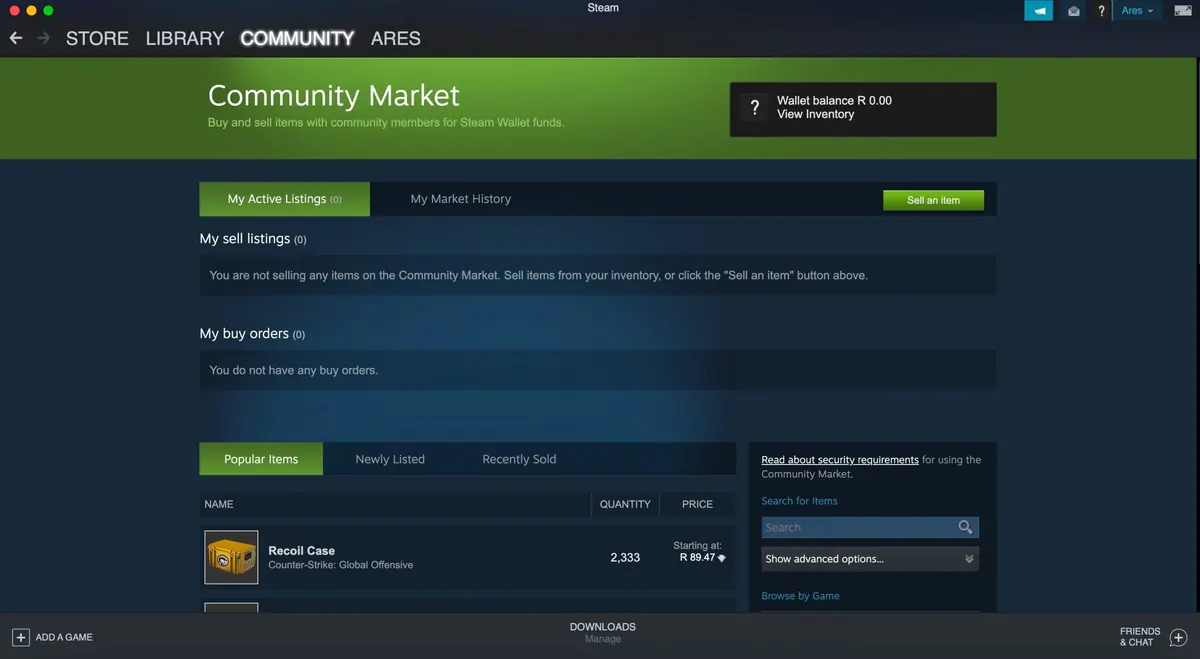
In case your Community Market page does not display any new messages in a bracket at the top of the page or market listings, you can trade. It needs to resemble something like this:
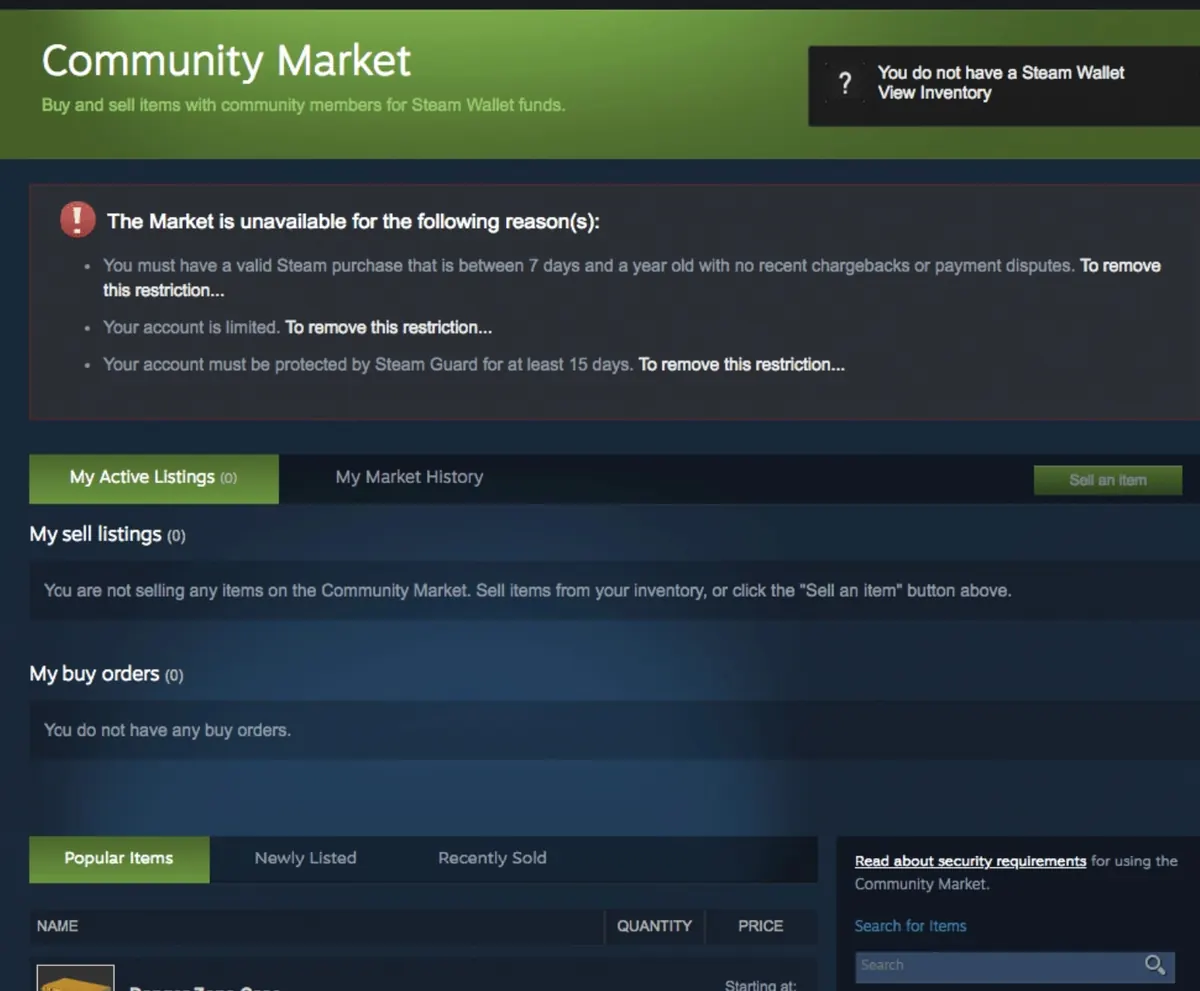
However, if your account has some applicable trade limitations, Steam will show them all in the bracket at the top of the page.
Do I Have to Wait 7 days To Trade on Steam?
Steam will retain items leaving your account for up to 15 days (the Steam 15 day trade hold) if you haven't had a Mobile Authenticator protecting it for at least the previous seven days. It gives you time to identify any pending transactions you did not make. Before what is inside your inventory is taken, you can change your Steam account password and cancel any pending if you discover your account has been hijacked. The 7-day restriction on item trade and exchange is only feasible if:
- The deal with on-hold status was cancelled. For a week, Community Market won't be open until the time period has passed, and then Steam will open again.
You first turned on Steam Guard on your account before switching your device. On the new device, Steam Guard activation is predicated on an item transaction or market hold for one week. For older devices, this rule does not hold true.
How to Avoid a 7 Days Steam Trade Hold?
Although most CS:GO players do not want to wait seven days in order to wait for trade holds, there is no way to bypass this restriction. The rules must still apply:
- Prior to using any CS:GO trading platform, you must wait seven days.
- Steam Support cannot lift any limitations on an account.
Although there have been rumours about players making a quick trade just after they bought some digital items with a trading card that made that possible, there is no other way to trade before seven days.
How to Remove Trade Hold on Steam?
You might want to know how to remove the Trade hold Steam. Well, let me lead the way. First, safeguard your account with a Steam Mobile Authenticator trade hold. In order to rapidly and securely trade or sell your stuff, you need to use a physical device (like your smartphone). The Steam Guard Mobile Authenticator is available for Windows Phones, iOS, and Android smartphones. After you have had the Authenticator activated for seven days, items will no longer be retained. And just like that, you will know how to remove the Steam trade hold.
Can I Exchange My CS:GO Skins on SkinCashier, If I Have a Trade Hold?
You need an account free of any trade bans in order to begin trading CS:GO cosmetic items on Steam Market effectively. You will also need to install the Steam Guard app on the smartphone. Your device has to serve as a mobile authentication mechanism for the Market. Ensure your privacy settings are set up correctly if you want to maintain a secure atmosphere for your CSGO trade. Then you can start shopping around for reasonable prices and make offers. When you move this to the trade window, a dialogue box appears asking you to select how much money you wish to use for CS: GO trading. Once you've made your selections, click the "Click here to confirm trade content" box. Click "Offer to make" after this. The other trader then has the option to accept the offer.
Final Verdict
Your products are secure in trade hold Steam. Because Steam accounts are lucrative, criminals are drawn to them. Anyone who trades or uses the Community market should have the most significant level of account security and the best privacy they can get. A trade hold will guarantee safety by giving you more time to notice if your account has been hacked, or by stopping products from leaving your account if you haven't safeguarded it physically.
More in Safety

Gamer’s Guide: How to Avoid CS2 (CS:GO) Scams
Have You ever been scammed on the Internet? Hopefully, the answer is no. Our article aims to give you tips on how to conduct safe CS2 transactions.

What Is the Steam Web API Scam and How to Protect Your CS:GO Skins?
The Steam Web API Key Scam is a new scam method that allows hackers to steal items on Steam, including CSGO skins. Check how to prevent it!
How to Use Steam Guard to Protect Your CS:GO Skins?
Learn how to effectively set up the Steam Guard Mobile Authenticator and protect your Steam account from scammers and hackers in 2022.